Free
$0 no card, no time limit
- English, recognized on your Mac
- Cleaned up by Glas
- 2,000 words a week
- Meeting notes with a transcript
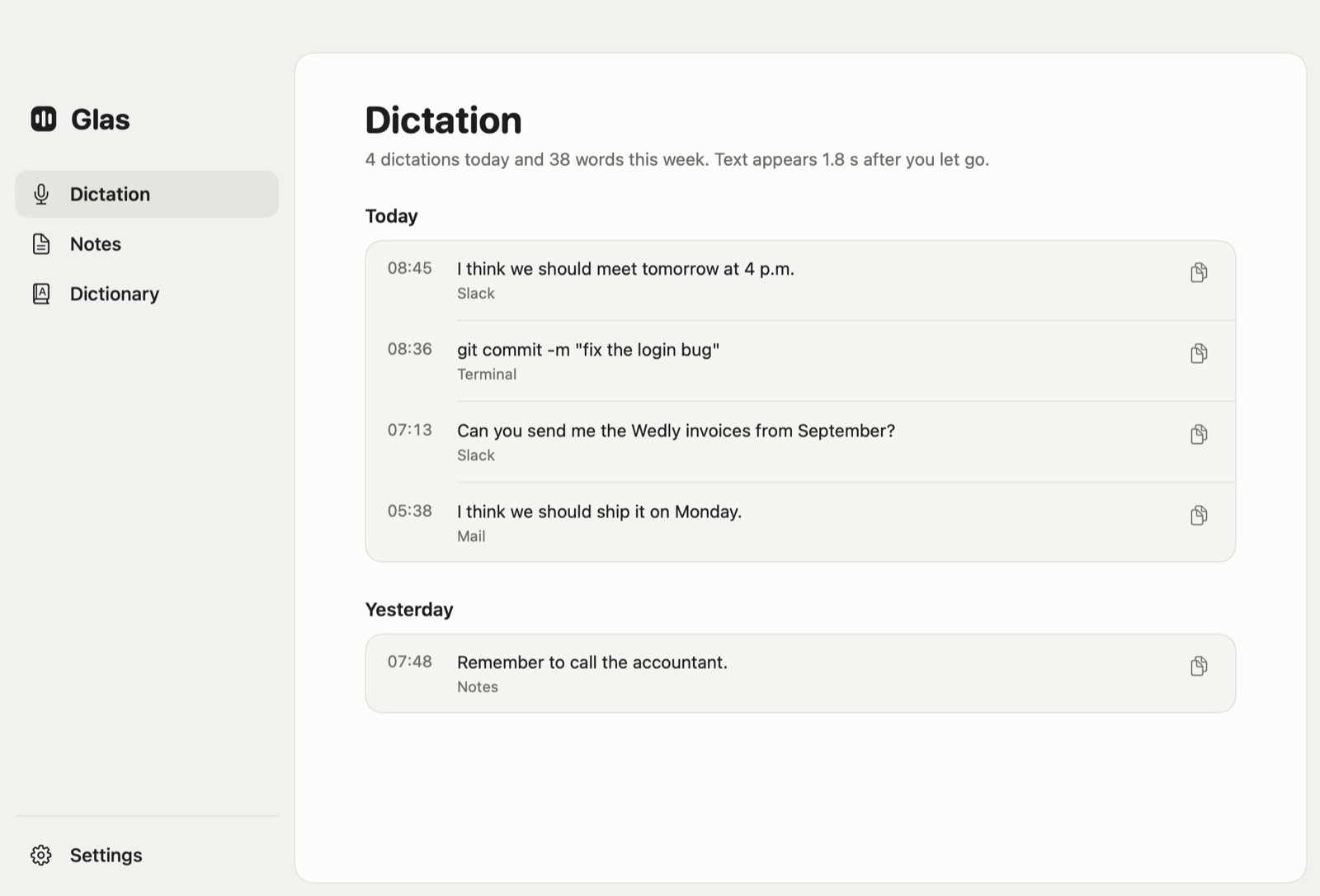
Hold the right Option key anywhere on your Mac and speak, in Bulgarian or English. Glas turns what you said into the text you meant: no ums, your corrections applied, written the way the app you are in expects.
Download for MacVersion 0.4.0, 1.0 MB. macOS 26 or later on Apple Silicon. 14 days of Pro, no card.
Glas reads the app and the text around the cursor, so the result fits where it lands: a quick line in Slack, full sentences in Mail, a command in Terminal. Let go of the key and the text is there in a second or two.
Select some text, hold the right Command key and say what should change. Glas rewrites the selection in place. If it is not sure what you meant, your text stays exactly as it was.
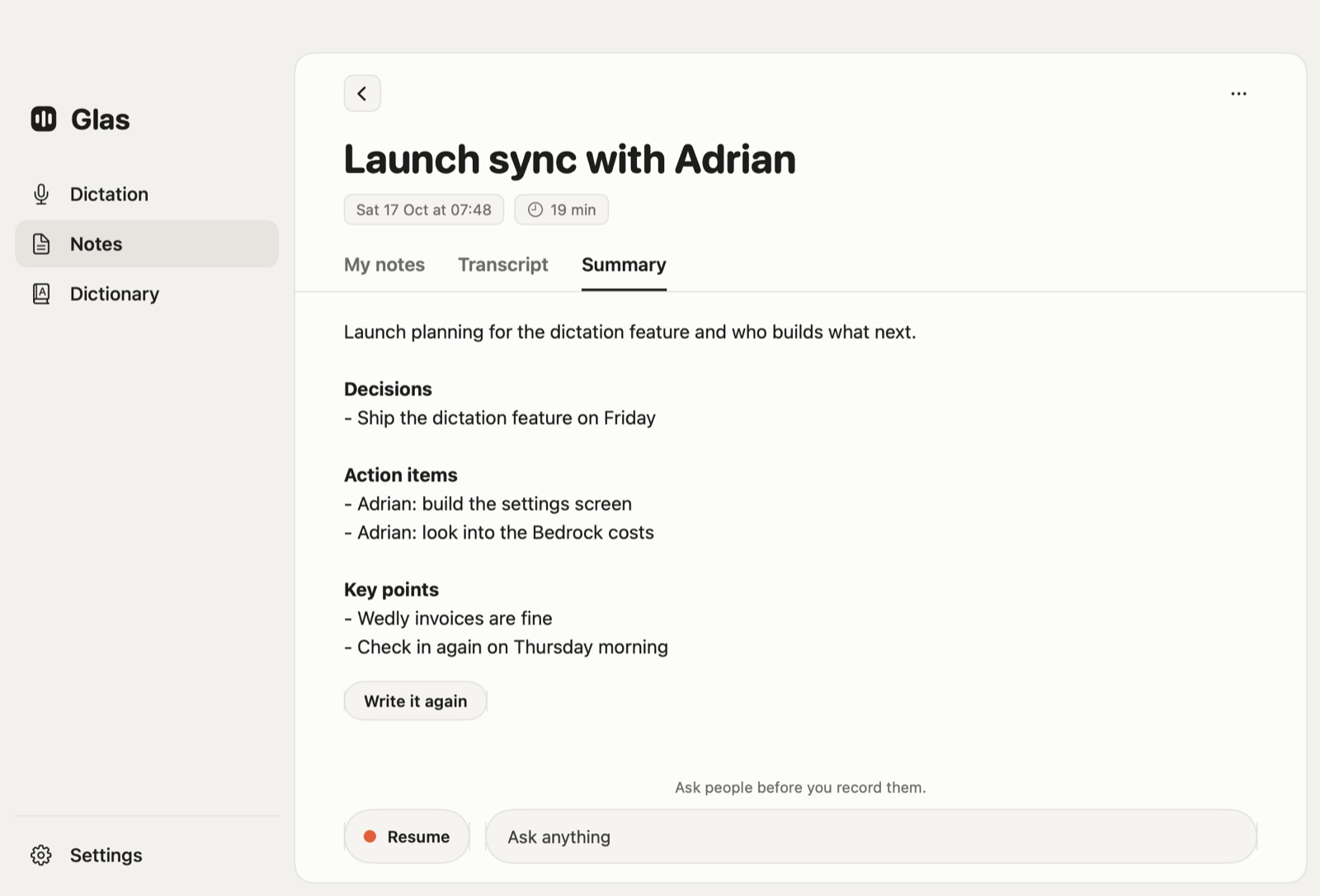
Start a note before a call. Your microphone becomes "Me", the call becomes "Them", and the transcript appears while people talk. When you stop, Glas writes what was decided and who does what next. Transcripts are in English for now.
Every new account starts with 14 days of Pro. No card, and it turns into Free by itself when the days are up.
$0 no card, no time limit
$12 a month, or $120 a year
Prices include tax. You upgrade inside Glas, from Settings.
Open the disk image and drag Glas onto Applications.
Glas is not in the App Store: click Open Anyway in Privacy & Security.
Microphone and Accessibility, from the checklist Glas opens.
Type your email and click the link Glas sends you. No password.
Lost the connection? Glas keeps the recording, and Retry Last Dictation in the menu sends it again.